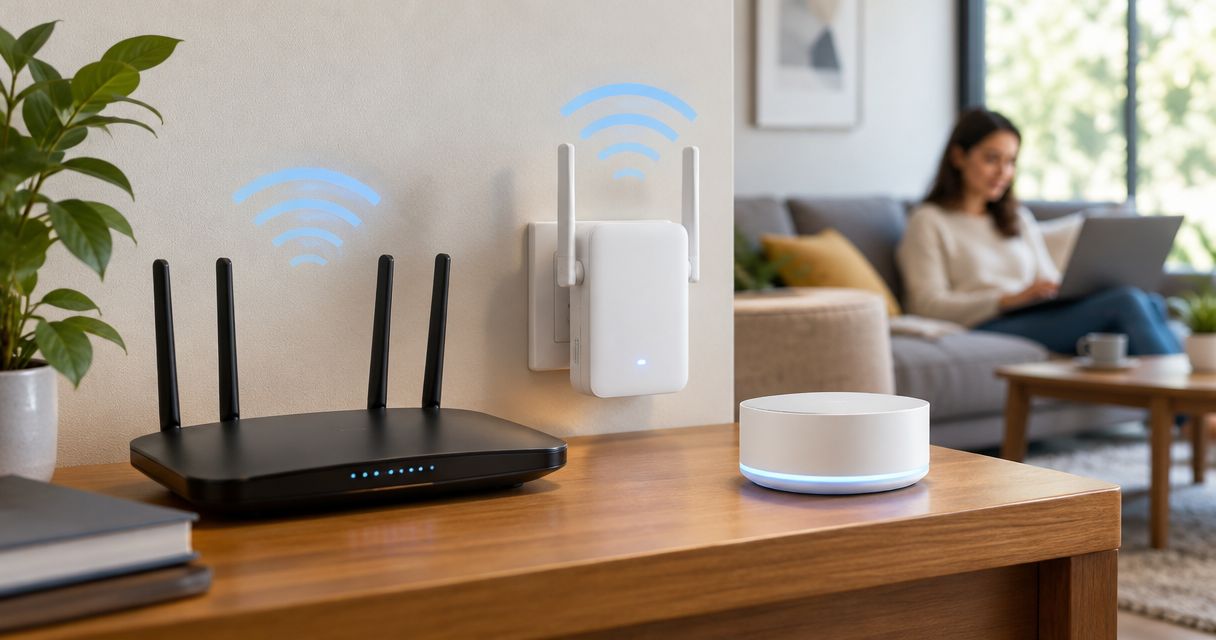
Best overall for a single weak room: TP-Link RE715X. Best for an existing ASUS AiMesh network: ASUS RP-AX58. Best for light-use coverage: TP-Link RE315. This 2026 guide compares the best wifi extenders for dead zones and explains when placement, a wired access point, or network setup is the better fix.
- TP-Link RE715X is the default Wi-Fi extender recommendation for a single weak room with a usable upstream signal.
- ASUS RP-AX58 fits compatible ASUS AiMesh networks; TP-Link RE315 suits light-use coverage rather than demanding connections.
- Bestlinktek provides in-home Wi-Fi/network setup; confirm service availability for your address before arranging work.
- Place a wireless extender where the router signal remains usable, not inside the dead zone.
Why this matters
A Wi-Fi extender repeats an existing wireless connection. It cannot repair an unreliable internet service, and placing it where the router signal has already disappeared defeats its purpose.
The buying decision in 2026 starts with the fault: weak coverage, interference, or a slow connection everywhere. Only the first problem directly calls for more coverage. Buying hardware before separating those problems risks leaving the original fault untouched.
Bestlinktek provides in-home Wi-Fi/network setup for residential customers. Bestlinktek Wi-Fi/network setup is best for homeowners who need help separating coverage problems from configuration problems. Confirm booking availability for your address; national buying advice does not establish nationwide service coverage.
What makes the best Wi-Fi extender?
Judge an extender by the connection it can maintain, not the largest coverage claim on its packaging.
- Usable backhaul: The connection between the router and extender must remain stable at the intended outlet.
- Network fit: Match the extender to your router, security settings, and any existing mesh system.
- Wired flexibility: An Ethernet port and access-point mode provide alternatives when wireless repeating is unsuitable.
- Device needs: A thermostat and a work laptop do not place the same demands on a connection.
- Placement flexibility: Outlet location, walls, furniture, and distance determine where the extender can work.
- Clear limitations: Wi-Fi generation alone does not establish real room-to-room performance.
Best Wi-Fi extenders at a glance
These recommendations cover distinct situations. They are not measured speed rankings or claims that one model wins in every home.
| Extender | Best for | Standout feature | Key limitation |
|---|---|---|---|
| TP-Link RE715X | A single weak room with a usable upstream signal | Wi-Fi 6 with Gigabit Ethernet and access-point mode | Wireless repeating still depends on router-to-extender signal quality |
| ASUS RP-AX58 | Extending a compatible ASUS AiMesh network | AiMesh integration and Wi-Fi 6 | AiMesh benefits require a compatible ASUS network |
| TP-Link RE315 | Light-use coverage for connected devices | Dual-band Wi-Fi 5 and access-point mode | Its 100 Mbps Ethernet port limits wired throughput |
All three require a sensible installation location. None makes a disconnected corner a suitable place to receive and repeat the router's signal.
1. TP-Link RE715X: best Wi-Fi extender for a single weak room
The TP-Link RE715X is a dual-band Wi-Fi 6 extender with a Gigabit Ethernet port. It supports wireless extension and access-point operation, giving you a wired alternative if repeating the router's signal does not solve the problem.
Choose the TP-Link RE715X when the router works well across most of your home but one room has weak coverage. Its role is to bridge that coverage gap, not replace troubleshooting across an entire property.
TP-Link RE715X pros
- Wi-Fi 6 supports compatible newer client devices.
- Gigabit Ethernet supports wired connections up to the port's 1 Gbps link rate, not a guaranteed internet speed.
- Access-point mode lets you use an Ethernet connection back to the network.
- Separate wired and wireless installation paths give you options as your layout changes.
TP-Link RE715X cons
- A poor wireless upstream connection remains a bottleneck.
- Wi-Fi 6 does not make walls or interference irrelevant.
- One extender is not a substitute for planning coverage across several disconnected areas.
Best for: A homeowner fixing one weak room while keeping the existing router.
Before choosing the TP-Link RE715X, identify an outlet outside the dead zone where the router still provides a dependable connection. If no such location exists, prioritize a wired route instead.
Verdict: Buy the TP-Link RE715X for a localized coverage gap with a usable upstream signal.
2. ASUS RP-AX58: best Wi-Fi extender for ASUS AiMesh homes
The ASUS RP-AX58 is a Wi-Fi 6 extender that supports ASUS AiMesh. Its strongest reason to choose it is compatibility with an existing AiMesh network, rather than its use as an unrelated repeater.
Check your router's exact model and AiMesh support before choosing the ASUS RP-AX58. Sharing the ASUS name alone does not establish compatibility or confirm how your current network is configured.
ASUS RP-AX58 pros
- AiMesh support fits a compatible ASUS network.
- Wi-Fi 6 supports compatible wireless devices.
- Gigabit Ethernet provides a wired connection option.
- Access-point operation offers an alternative to wireless repeating.
ASUS RP-AX58 cons
- AiMesh-specific benefits depend on compatible equipment and configuration.
- Wireless placement still determines the quality of the upstream connection.
- A shared network name does not guarantee that every client switches connections at the ideal moment.
Best for: A homeowner who already uses a compatible ASUS AiMesh router and wants to extend that network.
Do not choose the ASUS RP-AX58 solely because you expect a single network name to fix roaming. Phones, laptops, and other clients also influence when they leave one connection for another.
Verdict: Buy the ASUS RP-AX58 for a compatible AiMesh network; skip it as an ecosystem-led choice if your router does not support AiMesh.
3. TP-Link RE315: best Wi-Fi extender for light-use coverage
The TP-Link RE315 is a dual-band Wi-Fi 5 extender with an Ethernet port and access-point mode. It fits a coverage-first brief where the goal is connecting light-use devices rather than maximizing throughput.
Its Ethernet port runs at 100 Mbps. That distinction matters if you intend to connect a demanding wired device or use the extender as an access point on a faster network.
TP-Link RE315 pros
- Dual-band operation supports both 2.4 GHz and 5 GHz connections.
- Ethernet provides a connection option for a wired device.
- Access-point mode supports an Ethernet-fed installation.
- Its capabilities fit a straightforward light-use coverage requirement.
TP-Link RE315 cons
- The 100 Mbps Ethernet port limits wired throughput.
- Wi-Fi 5 does not provide Wi-Fi 6 features.
- Wireless repeating still relies on a usable router signal.
Best for: Extending coverage for light-use connections where maximum transfer speed is not the priority.
For a work area with frequent large transfers, examine the whole connection path before choosing the TP-Link RE315. A wired device plugged into an extender still uses wireless backhaul unless the extender itself has a wired upstream connection.
Verdict: Buy the TP-Link RE315 for light-use coverage; skip it when faster wired throughput is a requirement.
Place the extender before judging the extender
The correct outlet is not necessarily halfway between the router and the weak room. Walls, appliances, furniture, and the route through the home affect whether that location receives a usable signal.
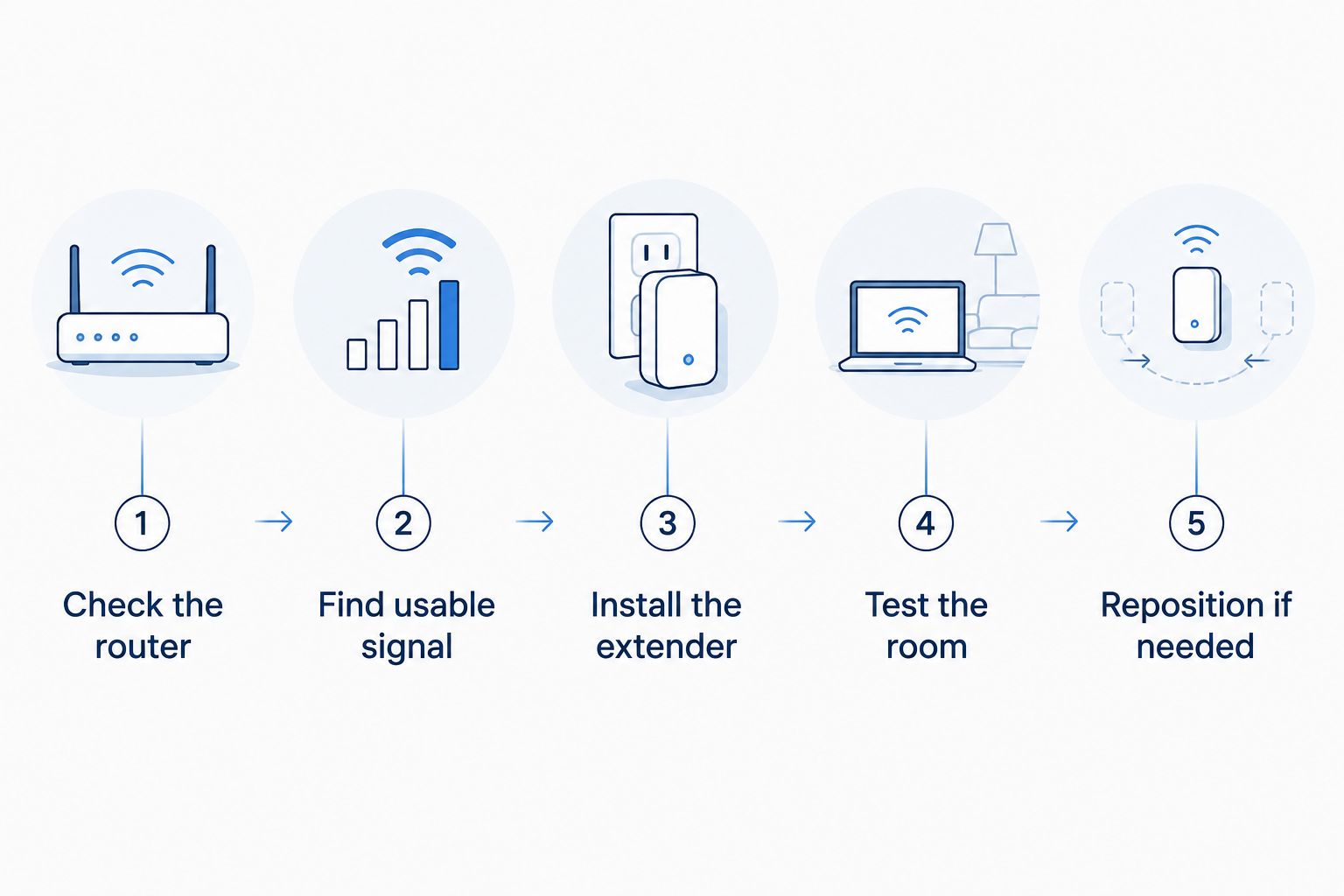
Use this sequence to avoid evaluating good hardware in a poor position:
- Check the router: Confirm that the connection works reliably near the router before adding equipment.
- Find usable signal: Identify an outlet toward the weak room that still receives a dependable connection.
- Install the extender: Follow the model's setup instructions and check its connection indicators.
- Test the room: Use the actual device and activity that previously failed.
- Reposition if needed: Move the extender toward the router if the upstream connection is weak.
Test with the device that matters, not just a phone beside the extender. A stationary camera, television, and laptop occupy different positions and can behave differently on the same network.
Keep notes on the outlet used, the connection behavior, and whether the original problem returns. Change one variable at a time so you can identify which adjustment helped.
When an extender is the wrong fix
Choose the network design before choosing the device. Wireless extension, wired access points, and mesh networks solve different installation problems.
| Approach | Best for | Main advantage | Main limitation |
|---|---|---|---|
| Wireless extender | One localized weak area | Adds coverage without a network cable to that location | Depends on wireless upstream quality |
| Wired access point | A room reachable by Ethernet | Avoids wireless backhaul for that access point | Requires a suitable cable route |
| Mesh network | Coverage that needs coordinated access points | Provides a system designed around multiple nodes | Wireless nodes still need good placement and backhaul |
An Ethernet-fed access point is the stronger design when wireless backhaul is the problem and a cable route is practical. Mesh is not a way to ignore signal quality: a wireless mesh node also needs a dependable connection to the rest of the network.
If every room has poor internet performance, test near the router and compare a wired connection where possible. Extending coverage does not resolve an upstream service fault.
Bestlinktek Wi-Fi/network setup addresses the installation and configuration side of home connectivity. Before arranging work, clarify the affected rooms, existing equipment, intended outcome, supplied-hardware requirements, and exclusions.
Discuss your home network setup
Confirm address coverage, installation scope, and hardware requirements before arranging service.
How these recommendations are ranked
The 2026 recommendations prioritize network fit, wired alternatives, and the limitation most likely to affect the intended use. The TP-Link RE715X takes the general single-room slot; the ASUS RP-AX58 takes the compatible-AiMesh slot; the TP-Link RE315 takes the light-use slot.
These are specification-led recommendations, not results from a controlled home test. Actual performance depends on your router, building layout, interference, client devices, and installation location.
Before choosing any model, check its current manufacturer documentation for regional specifications and router compatibility. Treat advertised wireless rates as connection specifications, not promised download speeds in your room.
Which Wi-Fi extender should you choose?
For a typical single-room coverage problem in 2026, start with the TP-Link RE715X and a placement check. Choose the ASUS RP-AX58 instead when compatible AiMesh integration is the deciding requirement.
Choose the TP-Link RE315 when light-use coverage is enough and its Ethernet limitation does not conflict with your plan. If no suitable outlet receives a dependable router signal, stop comparing repeaters and assess Ethernet-fed coverage.
Your decision should end with a usable connection at the actual device. A stronger signal indicator alone is not the outcome.
FAQ
What's the best Wi-Fi extender for a dead zone in 2026?
The TP-Link RE715X is the default recommendation here for a single weak room with a usable upstream router signal. Choose the ASUS RP-AX58 for compatible AiMesh integration or the TP-Link RE315 for light-use coverage.
Should I plug a Wi-Fi extender into the room with no signal?
No. A wireless extender needs to receive a usable router signal before it can repeat that connection. Place it toward the weak room while keeping a dependable upstream connection.
Is a mesh system better than a Wi-Fi extender?
A mesh system is the better fit when your coverage plan needs multiple coordinated access points. A standalone extender fits a localized gap, while wireless mesh nodes still depend on suitable placement and backhaul.
Will a Wi-Fi extender make my internet faster?
A Wi-Fi extender does not increase the speed supplied by your internet service. It can improve a connection limited by weak coverage, but poor placement or wireless backhaul can restrict the result.
Can I connect a television to an extender with Ethernet?
Yes, an extender with a suitable Ethernet port can connect a television by cable. Unless the extender also has a wired upstream connection, traffic still crosses a wireless link back to the router.
Does using the same Wi-Fi name guarantee smooth roaming?
No. A shared network name does not guarantee that a device switches access points at the right moment. Client behavior, network configuration, and system compatibility affect roaming.
Can Bestlinktek help with Wi-Fi dead zones?
Bestlinktek provides in-home Wi-Fi/network setup for residential customers. Confirm service availability for your address, the work included, hardware responsibilities, and exclusions before arranging an installation.
One last thing
Before choosing an extender in 2026, temporarily move the existing router into a more open, practical location if its connections allow it. Retest the weak room before committing to additional hardware.
For a wall-mounted television, decide how the network connection will reach the final screen location before hiding cables. Test streaming there first; a tidy installation should not conceal an unresolved connection problem.