Best overall: TP-Link Deco XE75. Best for dedicated wireless backhaul: Netgear Orbi RBK852. Best for advanced controls: ASUS ZenWiFi XT9. Best for app-led setup: eero Pro 6E. These are the best mesh WiFi systems for large homes in 2026 when matched to your wiring, wall construction, and setup preferences—not advertised coverage alone.
- TP-Link Deco XE75 is the best overall mesh WiFi choice here for households seeking tri-band connectivity and straightforward management.
- Netgear Orbi RBK852 suits homes that need dedicated wireless backhaul between mesh units.
- ASUS ZenWiFi XT9 suits hands-on network management; eero Pro 6E suits app-led administration.
- Bestlinktek provides home Wi-Fi/network setup services; confirm service scope and location before requesting installation.
Why this matters
A large home creates two separate networking problems: reaching your devices and connecting the mesh units themselves. A strong signal on your phone does not guarantee a strong connection between the nearest satellite and the main router.
Choose the connection between mesh units before choosing the box. Ethernet wiring changes the buying decision because it removes dependence on a wireless link for backhaul. Without wiring, placement and the system's radio design matter more.
For help with placement and configuration, Bestlinktek provides in-home Wi-Fi/network setup services. Confirm the address served, installation scope, and hardware responsibilities before booking; a national buying guide does not establish nationwide service availability.
What makes the best mesh Wi-Fi system for a large home?
Use these criteria for your 2026 shortlist:
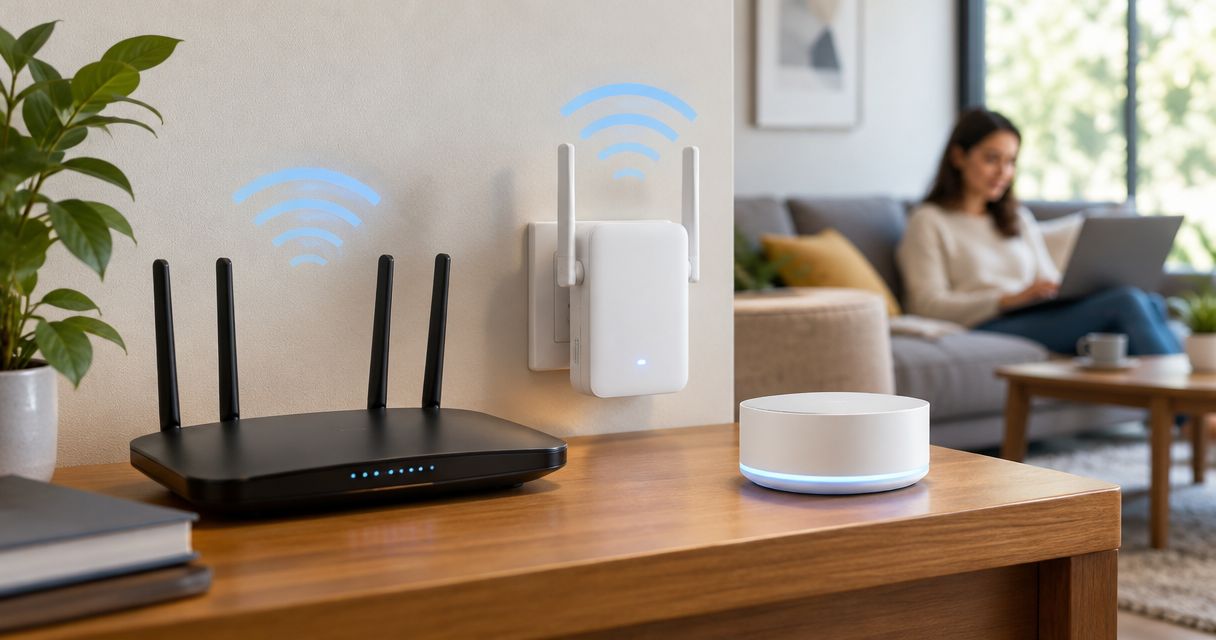
- Backhaul flexibility: Prefer Ethernet backhaul where cabling exists. Otherwise, examine how the system connects its satellites wirelessly.
- Radio design: Distinguish a dedicated backhaul radio from a band shared with connected devices. “Tri-band” alone does not describe the whole design.
- Floor-plan fit: Account for floors, masonry, utility spaces, and the route between nodes—not just total square footage.
- Management controls: Choose between app-led simplicity and more detailed network settings before committing to an ecosystem.
- Wired connections: Check Ethernet port speeds and available connections for switches, televisions, and desktop equipment.
- Compatibility: Match the system to your modem, existing router arrangement, and devices. A newer Wi-Fi standard does not upgrade older client hardware.
Best mesh Wi-Fi systems at a glance
| System | Best for | Standout feature | Key limitation |
|---|---|---|---|
| TP-Link Deco XE75 | Balanced household use | Tri-band Wi-Fi 6E with Ethernet backhaul support | No multigigabit Ethernet on the standard XE75 |
| Netgear Orbi RBK852 | Dedicated wireless backhaul | Separate 5 GHz backhaul radio | No 6 GHz client band |
| ASUS ZenWiFi XT9 | Advanced network management | Detailed router controls and AiMesh support | More settings to understand and maintain |
| eero Pro 6E | App-led administration | Tri-band Wi-Fi 6E with centralized app management | Less granular configuration than ASUS |
The table compares specific models, not entire product families. Check the exact model designation before ordering: similarly named variants can have different Ethernet ports, radios, and expansion requirements.
1. TP-Link Deco XE75: best mesh Wi-Fi for balanced household use
TP-Link Deco XE75 combines 2.4 GHz, 5 GHz, and 6 GHz radios in a Wi-Fi 6E mesh system. It supports Ethernet backhaul, giving you a wired connection between units where your home has suitable cabling.
That combination makes TP-Link Deco XE75 the default recommendation for a household that wants tri-band networking without making detailed router administration a project. Its 6 GHz capability also gives compatible devices another connection option; it does not make every device in the house a Wi-Fi 6E device.
TP-Link Deco XE75 pros:
- Tri-band operation includes the 6 GHz band.
- Ethernet backhaul supports wired node placement.
- App-based management suits routine household administration.
TP-Link Deco XE75 cons:
- Gigabit Ethernet limits wired connections compared with multigigabit-equipped alternatives.
- Devices need Wi-Fi 6E support to connect on 6 GHz.
- A 6 GHz radio does not eliminate problems caused by walls and poor node placement.
Best for: Households seeking a balanced feature set, especially where Ethernet can connect distant rooms or floors.
For a 2026 purchase, confirm that the listing says XE75 rather than assuming specifications from another Deco variant apply. Verdict: Buy TP-Link Deco XE75 as the default here when gigabit Ethernet meets your needs.
2. Netgear Orbi RBK852: best mesh Wi-Fi for dedicated backhaul
Netgear Orbi RBK852 is a tri-band Wi-Fi 6 system with a dedicated 5 GHz radio for wireless backhaul. That separates the router-to-satellite connection from the radios serving your household devices.
This design makes Netgear Orbi RBK852 a focused option when running Ethernet is not practical. Placement still matters: a dedicated radio needs a usable path between units, and thick walls remain an obstacle.
Netgear Orbi RBK852 pros:
- Dedicated wireless backhaul separates inter-node traffic from client radios.
- Ethernet connections accommodate wired devices and backhaul.
- The design directly addresses homes that depend on wireless satellite connections.
Netgear Orbi RBK852 cons:
- Wi-Fi 6 does not provide a 6 GHz client connection.
- Satellite placement remains constrained by the wireless path to the router.
- Orbi expansion requires checking compatibility with the specific system family.
Best for: Large homes where a wireless router-to-satellite connection is a central requirement.
Do not choose Netgear Orbi RBK852 simply because the packaging describes a large coverage area. Choose it because dedicated backhaul fits your layout. Verdict: Buy Netgear Orbi RBK852 for its backhaul design; skip it if 6 GHz client access is essential.
3. ASUS ZenWiFi XT9: best mesh Wi-Fi for advanced controls
ASUS ZenWiFi XT9 is a tri-band Wi-Fi 6 system with AiMesh support and detailed router administration. It suits households that want to manage network behavior rather than leave nearly every decision to an app.
Its appeal is control, not a promise that more settings automatically produce better coverage. You still need a sensible main-router location, a workable satellite link, and compatible devices.
ASUS ZenWiFi XT9 pros:
- Detailed settings suit hands-on network administration.
- AiMesh supports expansion with compatible ASUS equipment.
- Ethernet backhaul provides a wired alternative to inter-node wireless links.
ASUS ZenWiFi XT9 cons:
- More configuration options create more decisions during setup and troubleshooting.
- Wi-Fi 6 does not include a 6 GHz client band.
- AiMesh compatibility needs checking before reusing an existing router.
Best for: Homeowners who want detailed network controls and are comfortable maintaining them.
For your 2026 shortlist, ASUS ZenWiFi XT9 makes sense when its controls solve an actual requirement. Avoid choosing it merely to collect features you will never configure. Verdict: Buy ASUS ZenWiFi XT9 for hands-on management; skip it if minimal administration is the priority.
4. eero Pro 6E: best mesh Wi-Fi for app-led administration
eero Pro 6E is a tri-band Wi-Fi 6E mesh system managed through the eero app. It supports Ethernet backhaul and includes 6 GHz connectivity for compatible devices.
The main reason to choose eero Pro 6E is its administration approach. It fits households that want to manage a network through guided app workflows rather than a detailed traditional router interface.
eero Pro 6E pros:
- Centralized app management suits routine household administration.
- Wi-Fi 6E adds a 6 GHz connection option for compatible devices.
- Ethernet backhaul supports wired connections between units.
eero Pro 6E cons:
- Configuration is less granular than the ASUS approach.
- App-based administration is a poor fit if you specifically want a conventional local management interface.
- Older devices cannot use its 6 GHz band.
Best for: Households that prioritize app-led management over extensive manual configuration.
Check that eero's available settings cover your requirements before switching from an existing router. Simplicity is useful only when it preserves the controls you actually need. Verdict: Buy eero Pro 6E for app-led administration; skip it if detailed manual configuration is essential.
Choose backhaul before adding more nodes
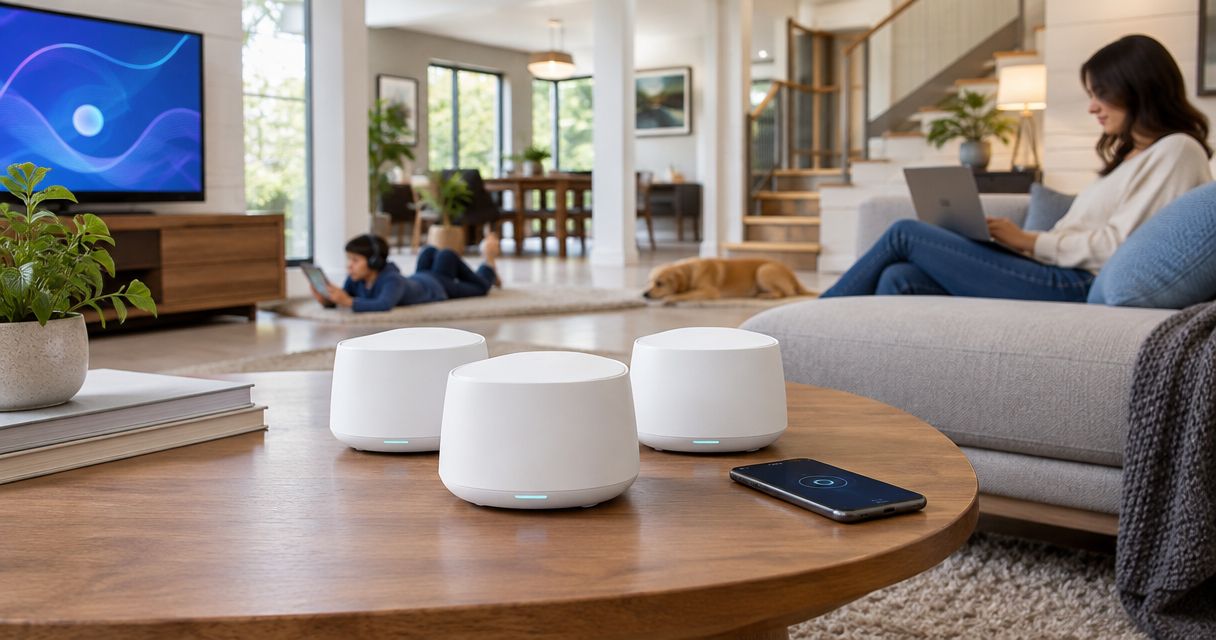
More mesh units are not an automatic cure for weak coverage. A satellite placed inside a dead zone still needs a connection back to the network; moving it toward a stronger signal often matters more than adding another unit nearby.
Use this decision sequence before choosing your kit:
- Check wiring: Identify usable Ethernet connections and where they terminate. Confirm that the cable path can connect the router and proposed satellite locations.
- Map obstacles: Mark masonry walls, floors, utility rooms, and the spaces where connectivity fails.
- Place nodes: Put wireless satellites where they can still receive a useful upstream signal, not simply where you want coverage to end.
- Test rooms: Check the actual workspaces, television locations, and other device positions after installation.
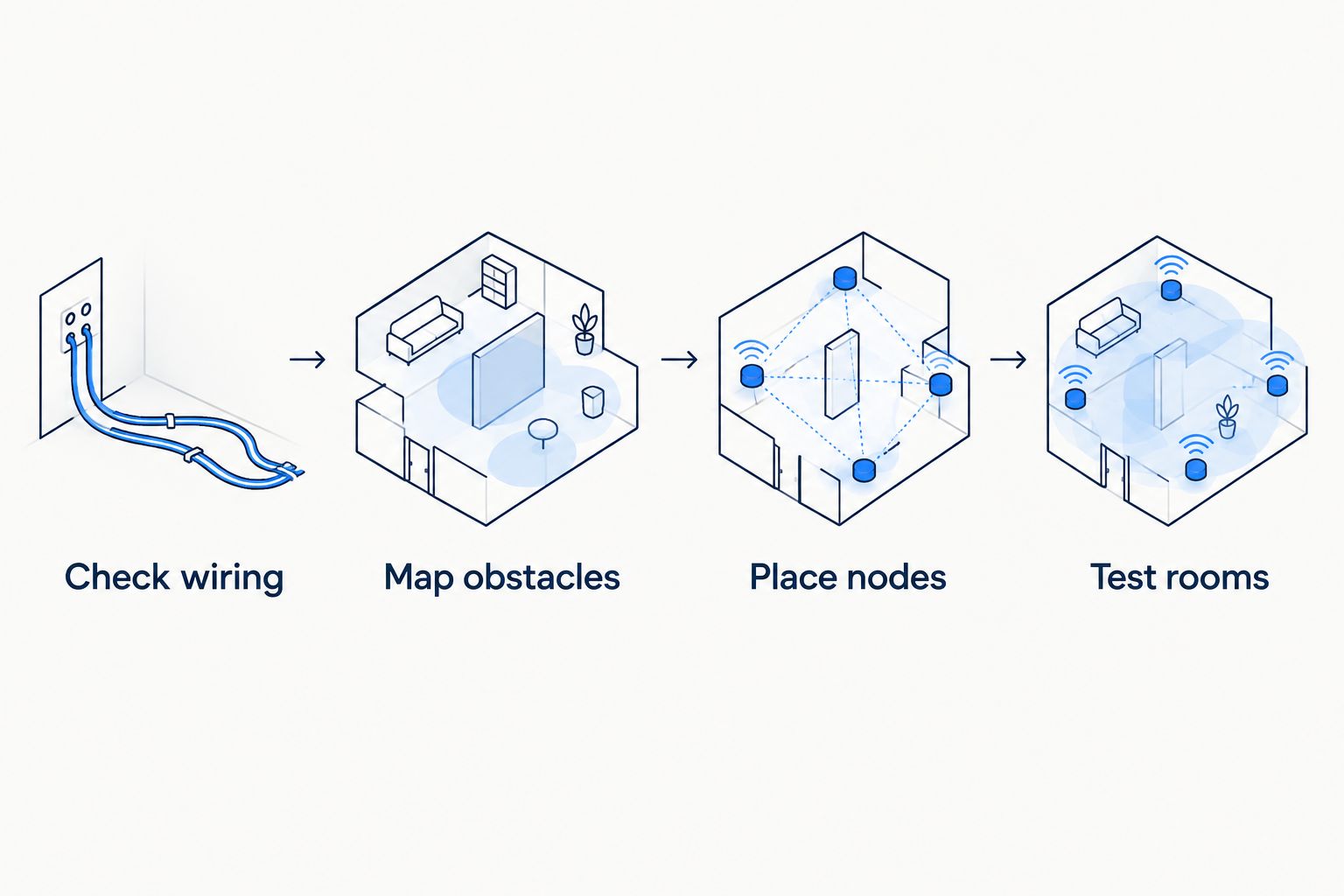
With Ethernet backhaul, a distant satellite does not have to rely on a wireless connection through intervening walls. That gives you more freedom to position it near the devices it serves, although each room still needs adequate Wi-Fi coverage.
Without Ethernet, compare candidate locations rather than hiding satellites wherever an outlet is convenient. Avoid enclosed cabinets and positions directly behind large metal objects. A tidy installation should not come at the expense of the radio path.
Check these details before replacing your router
A 2026 mesh upgrade should solve an identified problem. Separate an internet-service issue from an indoor coverage issue before buying hardware.
- Connection quality: Compare a wired connection at the main router with Wi-Fi in the problem room. Poor performance at both locations calls for a different investigation than one isolated weak room.
- Gateway arrangement: Determine whether your internet provider's equipment is acting as a modem, router, or combined gateway. Configure the new system deliberately rather than leaving overlapping routing functions unexplained.
- Device needs: Check the capabilities of your actual phones, laptops, televisions, and smart-home equipment. A 6 GHz network serves compatible clients, not every connected device.
- Wired paths: Trace the full Ethernet path. A faster port on one device does not make every cable, switch, and destination equally capable.
- Installation scope: Agree on node placement, configuration, cable routing, and testing before work begins. Do not assume wall fishing or electrical work is included.
Bestlinktek home Wi-Fi/network setup is best for residential customers who want in-home help configuring their network. Confirm location eligibility, supplied-hardware requirements, and exclusions before arranging service.
The benefit is help with setup and placement; the limit is that installation cannot give older devices a newer radio or remove an internet-service bottleneck. Keep equipment selection and service scope separate.
Discuss your home network setup
Confirm service location, hardware responsibilities, and the installation scope before booking.
How the systems were ranked
This 2026 ranking prioritizes backhaul flexibility, radio design, administration style, and household fit. The technical distinctions follow the manufacturers' published specifications for these exact models: TP-Link Deco XE75, Netgear Orbi RBK852, ASUS ZenWiFi XT9, and eero Pro 6E.
The order is a buying decision, not a measured speed leaderboard. No floor-plan-specific throughput results are claimed. Manufacturer coverage figures are not used as proof that a system will cover your house, and model-family specifications are not treated as interchangeable.
Which mesh Wi-Fi system should you choose?
Choose TP-Link Deco XE75 if you want the default recommendation and do not need multigigabit Ethernet. Choose Netgear Orbi RBK852 when dedicated wireless backhaul is the deciding feature, ASUS ZenWiFi XT9 when detailed controls matter most, or eero Pro 6E when app-led administration fits your household.
For every option, resolve placement and backhaul first. Buying a different system without changing a poor connection path leaves the central problem intact.
FAQ
What's the best mesh WiFi system for a large home in 2026?
TP-Link Deco XE75 is the best overall choice in this comparison for balanced household use. Choose a different system when dedicated wireless backhaul, detailed controls, or app-led administration is your deciding requirement.
Is tri-band mesh better than dual-band for a large house?
Tri-band mesh adds a radio band, but its benefit depends on how the system uses it. Check whether that band serves devices, carries dedicated backhaul, or shares those duties rather than judging by the tri-band label alone.
Should I connect mesh nodes with Ethernet?
Use Ethernet backhaul where suitable wiring exists. It removes the need for a wireless connection between those mesh units, but each unit still needs appropriate placement to serve nearby devices.
Will a 6 GHz mesh system work better through thick walls?
A 6 GHz mesh system is not a remedy for thick walls. Higher-frequency signals face greater attenuation through obstacles, so node placement and wired backhaul remain important.
How many mesh nodes does a large house need?
The correct number depends on the floor plan, construction, wiring, and placement. Test the rooms you need to serve rather than converting square footage directly into a node count.
Will mesh Wi-Fi make my internet plan faster?
Mesh Wi-Fi does not increase the speed supplied by your internet plan. It can improve the indoor connection where weak Wi-Fi is the bottleneck, but service and equipment limits still apply.
Can Bestlinktek install my home mesh network?
Bestlinktek provides in-home Wi-Fi/network setup services. Confirm whether your address is served and agree on hardware responsibilities, configuration work, cable routing, and exclusions before booking.
One last thing
Test where you use the connection, not beside the mesh unit. Check the desk during a video call, the television while streaming, and the rooms that previously lost connectivity. A successful installation fixes those locations; an impressive result beside the router does not prove that it does.